Caesar
Problem to Solve
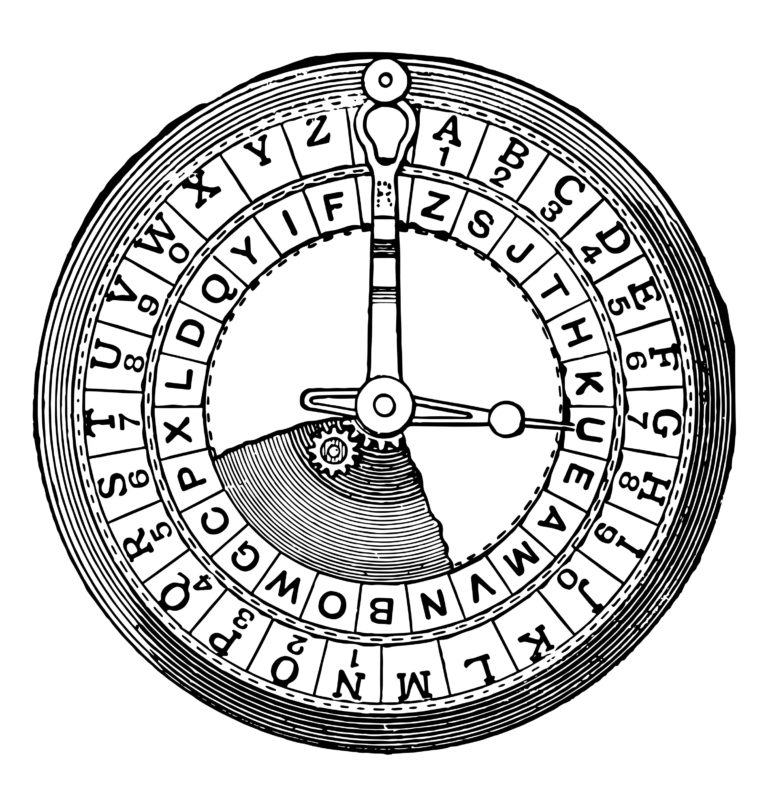
Supposedly, Caesar (yes, that Caesar) used to “encrypt” (i.e., conceal in a reversible way) confidential messages by shifting each letter therein by some number of places. For instance, he might write A as B, B as C, C as D, …, and, wrapping around alphabetically, Z as A. And so, to say HELLO to someone, Caesar might write IFMMP instead. Upon receiving such messages from Caesar, recipients would have to “decrypt” them by shifting letters in the opposite direction by the same number of places.
The secrecy of this “cryptosystem” relied on only Caesar and the recipients knowing a secret, the number of places by which Caesar had shifted his letters (e.g., 1). Not particularly secure by modern standards, but, hey, if you’re perhaps the first in the world to do it, pretty secure!
Unencrypted text is generally called plaintext. Encrypted text is generally called ciphertext. And the secret used is called a key.
To be clear, then, here’s how encrypting HELLO with a key of \(1\) yields IFMMP:
| plaintext | H |
E |
L |
L |
O |
|---|---|---|---|---|---|
| + key | \(1\) | \(1\) | \(1\) | \(1\) | \(1\) |
| = ciphertext | I |
F |
M |
M |
P |
More formally, Caesar’s algorithm (i.e., cipher) encrypts messages by “rotating” each letter by \(k\) positions. More formally, if \(p\) is some plaintext (i.e., an unencrypted message), \(p_i\) is the \(i^{th}\) character in \(p\), and \(k\) is a secret key (i.e., a non-negative integer), then each letter, \(c_i\), in the ciphertext, \(c\), is computed as
\[c_i = (p_i + k)\space\%\space26\]wherein \(\%\space26\) here means “remainder when dividing by 26.” This formula perhaps makes the cipher seem more complicated than it is, but it’s really just a concise way of expressing the algorithm precisely. Indeed, for the sake of discussion, think of A (or a) as \(0\), B (or b) as \(1\), …, H (or h) as \(7\), I (or i) as \(8\), …, and Z (or z) as \(25\). Suppose that Caesar just wants to say Hi to someone confidentially using, this time, a key, \(k\), of 3. And so his plaintext, \(p\), is Hi, in which case his plaintext’s first character, \(p_0\), is H (aka 7), and his plaintext’s second character, \(p_1\), is i (aka 8). His ciphertext’s first character, \(c_0\), is thus K, and his ciphertext’s second character, \(c_1\), is thus L. Make sense?
In a file called caesar.c in a folder called caesar, write a program that enables you to encrypt messages using Caesar’s cipher. At the time the user runs the program, they should be prompted for what the key should be, and then for the secret message they’d like to encrypt.
Specification
Design and implement a program, caesar, that encrypts messages using Caesar’s cipher.
- Implement your program in a file called
caesar.cin a directory calledcaesar. - Your program must output
Key:(with one space but without a newline) and then prompt the user for a key, usingget_int. Let’s call it \(k\) for the sake of discussion. - If the user’s input is not a non-negative integer, your program should continue to reprompt the user (via
get_int) for a key until they provide one. - Do not assume that \(k\) will be less than or equal to 26. Your program should work for all non-negative integral values of \(k\) less than \(2^{31} - 26\). In other words, you don’t need to worry if your program eventually breaks if the user chooses a value for \(k\) that’s too big or almost too big to fit in an
int. (Recall that anintcan overflow.) But, even if \(k\) is greater than \(26\), alphabetical characters in your program’s input should remain alphabetical characters in your program’s output. For instance, if \(k\) is \(27\),Ashould not become\even though\is \(27\) positions away fromAin ASCII, per asciitable.com;Ashould becomeB, sinceBis \(27\) positions away fromA, provided you wrap around fromZtoA. - Your program must output
plaintext:(with two spaces but without a newline) and then prompt the user for astringof plaintext (usingget_string). - Your program must output
ciphertext:(with one space but without a newline) followed by the plaintext’s corresponding ciphertext, with each alphabetical character in the plaintext “rotated” by k positions; non-alphabetical characters should be outputted unchanged. - Your program must preserve case: capitalized letters, though rotated, must remain capitalized letters; lowercase letters, though rotated, must remain lowercase letters.
- After outputting ciphertext, you should print a newline. Your program should then exit by returning
0frommain.
Advice
How to begin? Let’s approach this problem one step at a time.
Pseudocode
First write, try to write a main function in caesar.c that implements the program using just pseudocode, even if not (yet!) sure how to write it in actual code.
Hint
There’s more than one way to do this, so here’s just one!
int main(void)
{
    // Prompt user for a key, reprompting until it's a non-negative integer

    // Prompt user for plaintext

    // For each character in the plaintext:

        // Rotate the character if it's a letter
}
It’s okay to edit your own pseudocode after seeing ours here, but don’t simply copy/paste ours into your own!
Getting the Key
Whatever your pseudocode, let’s first write only the C code that prompts the user for a key before adding additional functionality.
Specifically, modify main in caesar.c in such a way that it prompts the user for a key using get_int with the prompt "Key: ". If the user’s input is not a non-negative integer, reprompt (by calling get_int again) until it is. Once you’ve obtained a valid key, have main simply return 0 for now. The program should thus behave per the below.
$ ./caesar
Key: -1
Key: banana
Key: 1
Hints
- Recall that
get_int, declared incs50.h, prompts the user for an integer, automatically reprompting if the user doesn’t type in an integer at all. - But
get_intdoesn’t know that you want a key that’s non-negative specifically, so you’ll need to check that yourself, perhaps with a loop, reprompting for as long as the key is negative.
Using the Key
Now modify main in such a way that, once you have a valid key, you use get_string to prompt the user for some plaintext with "plaintext: ".
Then, implement a function called, e.g., rotate, that takes a char as input and also an int, and rotates that char by that many positions if it’s a letter (i.e., alphabetical), wrapping around from Z to A (and from z to a) as needed. If the char is not a letter, the function should instead return the same char unchanged.
Hints
- Odds are you’ll want a prototype like:
char rotate(char c, int n);A function call like
rotate('A', 1)or even
rotate('A', 27)should thus return
'B'. And a function call likerotate('!', 13)should return
'!'. - Recall that you can explicitly “cast” a
charto anintwith(int), and anintto acharwith(char). Or you can do so implicitly by simply treating one as the other. - Odds are you’ll want to subtract the ASCII value of
'A'from any uppercase letters, so as to treat'A'as0,'B'as1, and so forth, while performing arithmetic. And then add it back when done with the same. - Odds are you’ll want to subtract the ASCII value of
'a'from any lowercase letters, so as to treat'a'as0,'b'as1, and so forth, while performing arithmetic. And then add it back when done with the same. - You might find some other functions declared in
ctype.hto be helpful, per manual.cs50.io. - Odds are you’ll find
%helpful when “wrapping around” arithmetically from a value like25to0.
Then modify main in such a way that it prints "ciphertext: " and then iterates over every char in the user’s plaintext, calling rotate on each, and printing the return value thereof.
Hints
- Recall that
printfcan print acharusing%c. - If you’re not seeing any output at all when you call
printf, odds are it’s because you’re printing characters outside of the valid ASCII range from 0 to 127. Try printing characters temporarily as numbers (using%iinstead of%c) to see what values you’re printing!
Walkthrough
Note that the walkthrough below shows an older version of this problem, in which the key is provided as a command-line argument. In the current version, your program should instead prompt the user for the key using get_int, as described in the specification above.
How to Test
Correctness
check50 cs50/problems/2026/fall/caesar
How to Use debug50
Looking to run debug50? You can do so as follows, after compiling your code successfully with make,
debug50 ./caesar
Style
style50 caesar.c
How to Submit
After you submit, wait a few minutes and then be sure to check your autograder results. If you see SUBMISSION ERROR: missing files (0.0/1.0), MissingFilesError, or the like, it means your file was not named exactly as prescribed (or you uploaded it to the wrong problem). Correctness in submissions entails everything from reading the specification, writing code that is compliant with it, and submitting files with the correct name. If you see this error, you should resubmit right away, making sure your submission is fully compliant with the specification. The staff will not adjust your filenames for you after the fact!
- Download your
caesar.cfile by control-clicking or right-clicking on the file in your codespace’s file browser and choosing Download. - Go to CS50’s Gradescope page.
- Click Problem Set 2: Caesar.
- Drag and drop your
caesar.cfile to the area that says Drag & Drop. Be sure it has that exact filename! If you upload a file with a different name, the autograder likely will fail when trying to run it. Ensuring you have uploaded files with the correct filename is your responsibility! - Click Upload.
You should see a message that says “Problem Set 2: Caesar submitted successfully!”